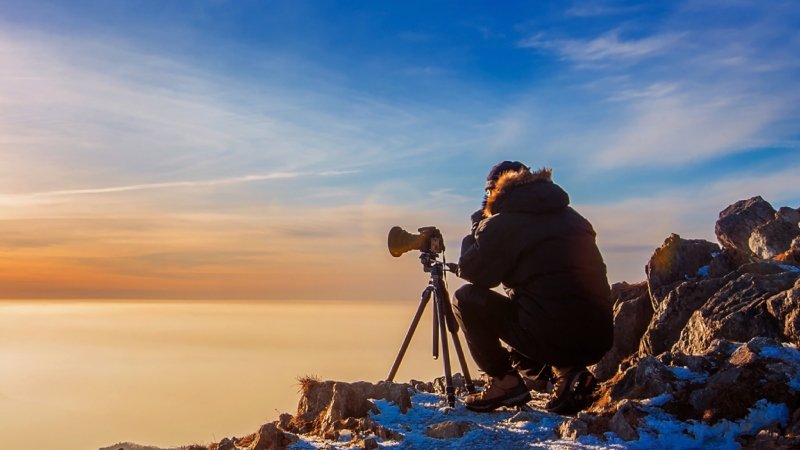
Travelers often return home with hundreds of photos and short videos but no clear way to turn them into a story worth sharing. A camera roll may document a trip, yet scrolling through disconnected images rarely captures what the experience actually felt like. The solution is to select meaningful moments, arrange them with purpose, and use simple visual formats that bring those moments together. From a short photo sequence to an animated clip created with a GIF maker, travelers can transform everyday vacation files into visual stories that friends, family, and online audiences can enjoy.
What Makes a Vacation Memory a Visual Story?
A visual story is a group of photos, videos, graphics, or animations arranged to communicate an experience rather than simply record it. The difference is intent. Ten unrelated beach photos form a gallery, while a sequence showing the early drive to the coast, the first view of the water, an afternoon swim, and sunset tells the story of a day.
Good travel storytelling also includes small moments. Famous landmarks may establish the destination, but details often make the story personal. A handwritten cafe menu, muddy hiking shoes, a train ticket, colorful market produce, or rain hitting a hotel window can provide context that standard sightseeing photos cannot.
Travelers can apply the same principle whether they are creating an Instagram post, digital travel diary, animated image, or private album. The goal is not to include everything. It is to select enough visual information for another person to understand the experience.
Definition: Visual storytelling is the practice of arranging images, video, text, and other visual elements so they communicate a clear experience, idea, or narrative.
Takeaway: A travel gallery records what you saw. A visual story uses selected moments and intentional order to communicate what the trip felt like.
How Should Travelers Choose Photos and Videos?
The hardest part of creating a travel story is often deciding what to leave out. Travelers naturally attach meaning to their own photos because they remember the circumstances surrounding each shot. Viewers do not have that context.
Start by reviewing the entire trip and marking the files that immediately trigger a memory. Do not edit yet. Simply create a shortlist. Next, remove duplicates, blurry shots, accidental recordings, and photos that communicate essentially the same thing.
A useful final selection combines several types of visuals:
- Establishing shots: Wide views that show where the story takes place.
- People: Candid reactions, portraits, and interactions that give the trip personality.
- Details: Food, signs, tickets, architecture, clothing, plants, or textures.
- Movement: Walking, driving, waves, street scenes, wildlife, or activities.
- Transitions: Airports, roads, hotel arrivals, station platforms, and changing weather.
- Closing images: Sunset, departure, a final meal, or another moment that creates a natural ending.
For example, a story about a mountain hike does not need 30 photographs of the same valley. One trailhead photo, a close-up of the terrain, a walking clip, a rest stop, the summit view, and the journey back can tell a much richer story.
Travelers organizing large collections can also use the sorting and album features explained through official resources such as Google Photos Help or Apple Photos Support.
Takeaway: Choose images for the role they play in the story, not simply because each individual image looks impressive.
How Can Travelers Build a Beginning, Middle, and End?
Even a 15-second visual story benefits from a simple narrative structure. A beginning establishes the setting, the middle shows what happened, and the ending gives viewers a sense of completion.
Imagine a day exploring a coastal town. The opening could show the road into town or the first view from the hotel. The middle might move through a morning market, lunch near the harbor, a boat ride, and an unexpected rain shower. The final image could show the harbor after sunset.
Chronological order is usually the easiest approach, but it is not the only one. Travelers can organize memories around food, architecture, colors, landscapes, people, or a particular activity. Someone returning from a long trip, for example, might create one story containing only memorable meals and another based entirely on train journeys.
Keep the sequence focused. If the story suddenly jumps from a museum to an unrelated airport clip and then back to the museum, the viewer has to work harder to follow it. Rearranging a few images can often solve the problem without adding anything new.
Takeaway: Give even short travel stories a recognizable opening, progression, and closing moment so viewers can follow the experience naturally.
When Does a GIF Work Well for Travel Memories?
A GIF is a short sequence of images or frames that plays as an animation. It can be useful when a single photograph cannot communicate movement, but a full-length video would be unnecessary.
Consider a street musician playing for a crowd, a train passing through a landscape, someone jumping into a lake, waves hitting a rocky shore, or a plate arriving at a restaurant table. A few seconds of repeating motion can capture the character of the moment without asking viewers to watch a long video.
A GIF maker can also combine several still photographs into a short animated sequence. For example, travelers who photograph the changing colors of a sunset from the same viewpoint can arrange the images chronologically. The result shows the progression of the scene more effectively than several nearly identical images displayed separately.
Keep these animations short and focused. Avoid squeezing an entire vacation into one fast-moving file. A strong animated story normally centers on one action, transformation, expression, or location.
Takeaway: Use GIFs for brief moments where movement adds meaning, especially when a photograph feels too static and a full video feels excessive.
How Can Captions Add Context Without Taking Over?
Travel photos cannot always explain themselves. A viewer may see a beautiful street but have no idea why the moment mattered. A concise caption can provide that missing context.
Useful captions answer questions the image cannot. Where were you? What was happening? What surprised you? Why did you stop there? Instead of writing “Great lunch,” a traveler might explain that the small cafe became an unexpected shelter during an afternoon storm. That detail turns a food photograph into part of the journey.
Avoid describing what viewers can already see. If the photograph clearly shows a red fishing boat, “A red fishing boat” adds little value. Explain why you photographed it or how it connects with the trip instead.
Location names can also be helpful when accuracy matters. Check place names before publishing them, particularly when identifying small attractions, historic sites, neighborhoods, or natural landmarks. This keeps the story useful for readers who may want to research the destination themselves.
For travelers interested in improving the broader planning and documentation side of their trips, the travel guidance available through PureTravelTweaks can complement the storytelling process.
Takeaway: The best captions add information, emotion, or context that the visual itself cannot communicate.
How Much Editing Does a Travel Story Need?
Editing should help the viewer understand the experience, not make every destination look artificial. Basic adjustments to exposure, contrast, cropping, and color balance are usually enough for vacation storytelling.
Consistency matters more than dramatic effects. When one image has very warm colors, the next has an intense blue filter, and the third is heavily desaturated, the sequence can feel disconnected. Similar treatment across related photos creates a more coherent visual experience.
Cropping also deserves attention. Remove distracting edges and straighten obvious horizon problems, but leave enough space to show the environment. Travel storytelling depends heavily on context. Cropping every image into a tight close-up can remove the details that tell viewers where the experience took place.
Travelers should also keep original files. Edited versions can be resized for social networks or messaging apps, while originals preserve the highest-quality copy for future albums, prints, or larger projects.
Takeaway: Edit for clarity and consistency rather than perfection, and keep original files separate from versions prepared for sharing.
How Can Travelers Create Stories for Different Platforms?
A story that works in a private family album may not work in a fast-moving social feed. Before editing, consider where the finished piece will appear and who will see it.
Vertical photos and short clips usually make sense for phone-first story formats. Wider images can work better in blogs, digital albums, and landscape-oriented presentations. Animated clips can highlight one memorable action, while a carousel can support a longer sequence with several stages.
The audience matters as well. Friends may appreciate personal jokes and candid moments. A public travel audience usually needs more context because viewers were not part of the trip. If a story is intended to help future travelers, useful details such as the type of activity, time of day, accessibility of a viewpoint, or general conditions can add practical value.
Avoid posting merely because a platform allows a large number of images. More content does not automatically create a stronger story. A tightly edited sequence of eight images can communicate far more than 40 repetitive photographs.
Takeaway: Design the story around its audience and destination platform instead of forcing the same collection into every format.
What Privacy Checks Should Travelers Make Before Sharing?
Travel storytelling should not come at the expense of privacy. Before publishing an album, slideshow, animation, or social post, examine what appears in the background as carefully as the main subject.
Travel documents, boarding passes, room information, vehicle details, personal addresses, and other identifying information may appear in otherwise harmless photographs. Crop or cover sensitive details when necessary.
Travelers should also think about the privacy of other people. A candid photograph that feels meaningful to the photographer may be uncomfortable for the person pictured. This is especially important with children and people encountered during local activities.
Real-time posting can also reveal that someone is away from home or identify their current location. Travelers who prefer greater privacy can save their stories and share them after leaving a location or returning home.
Takeaway: Review every visual for personal information, location clues, and other people’s privacy before publishing it.
What Is a Simple Workflow for Turning a Trip Into a Visual Story?
A repeatable workflow prevents a large camera roll from becoming overwhelming. Travelers do not need advanced editing skills or complicated software. They need a clear selection process.
Use this seven-step approach:
- Back up the original files. Keep photos and videos somewhere safe before deleting or editing anything.
- Create a shortlist. Mark the strongest images, meaningful details, and useful video clips.
- Choose one theme. Focus on a day, destination, activity, meal, journey, or specific experience.
- Arrange the narrative. Give the selected material a beginning, middle, and end.
- Edit consistently. Make modest corrections to cropping, brightness, color, and orientation.
- Add supporting elements. Use captions, location details, or a GIF where they genuinely improve understanding.
- Preview before publishing. Watch or scroll through the complete sequence as a viewer would and remove anything repetitive.
The final review is especially useful. If an image does not provide new information, emotion, movement, or context, consider removing it. Strong storytelling often comes from subtraction.
Takeaway: Back up, select, organize, edit, enhance, and review. A simple workflow turns an overwhelming camera roll into a focused travel narrative.
Frequently Asked Questions
How many photos should a vacation visual story include?
There is no universal number. Use enough images to establish the setting, show meaningful moments, and provide a satisfying ending without repeating the same scene.
Takeaway: Include only the visuals needed to move the story forward.
Should travel stories always follow chronological order?
No. Chronological storytelling is simple and effective, but travelers can also organize stories by theme, food, color, activity, people, or location.
Takeaway: Use the sequence that makes the experience easiest for viewers to understand.
Are GIFs better than videos for vacation memories?
Neither format is always better. GIFs suit brief, repeating movements, while video works better when sound, longer action, or spoken context matters.
Takeaway: Choose GIFs for quick visual motion and video when the full scene needs more time or audio.
What makes a travel caption useful?
A useful caption provides information that the image cannot communicate by itself. This might include context, a surprising event, the significance of the location, or a personal observation.
Takeaway: Add context rather than simply describing what viewers can already see.
Should travelers edit every photo before sharing it?
Not necessarily. Focus on basic corrections and consistency. Overediting can distract from the destination and make a sequence feel less natural.
Takeaway: Edit enough to improve clarity while keeping the travel experience recognizable.
How Can Travelers Make Vacation Memories Worth Revisiting?
The best visual travel stories do more than display attractive destinations. They preserve a sequence of experiences in a form that makes sense months or years later. That requires selection, structure, context, and restraint.
Start with the moments that carry meaning. Mix wide views with people, movement, and small details. Use captions when an image needs explanation, animation when motion matters, and careful editing to keep the collection visually connected. Most importantly, do not try to show everything. A memorable travel story is not a complete archive of a vacation. It is a thoughtful version of the experience that someone else can follow and that the traveler will want to revisit. At PureTravelTweaks.com, we believe that true travel begins with a curious heart, and when shared with love, it inspires others to explore the world.
Takeaway: Turn vacation files into stories by choosing meaningful moments, arranging them with purpose, adding context where needed, and sharing only what strengthens the experience.